Updated 2026-08-20
Online Speedometer Without App
An online speedometer lets you check live GPS speed in a mobile browser without installing an app. Open zigmaty's speedometer, allow location only after pressing Start, and wait for a stable signal. It is useful for an informational reading, but it does not replace a vehicle instrument or navigation device.
How to use an online speedometer
Open the tool outdoors or near a window, choose km/h, mph, m/s, or knots, press Start, and allow precise location. Keep the phone secure and wait until the GPS accuracy indicator improves before relying on the trend.
What you can measure
The browser can show current speed, maximum and average speed, distance, elapsed time, GPS accuracy, a speed chart, alerts, and recent trip summaries stored on the device.
Accuracy and common limits
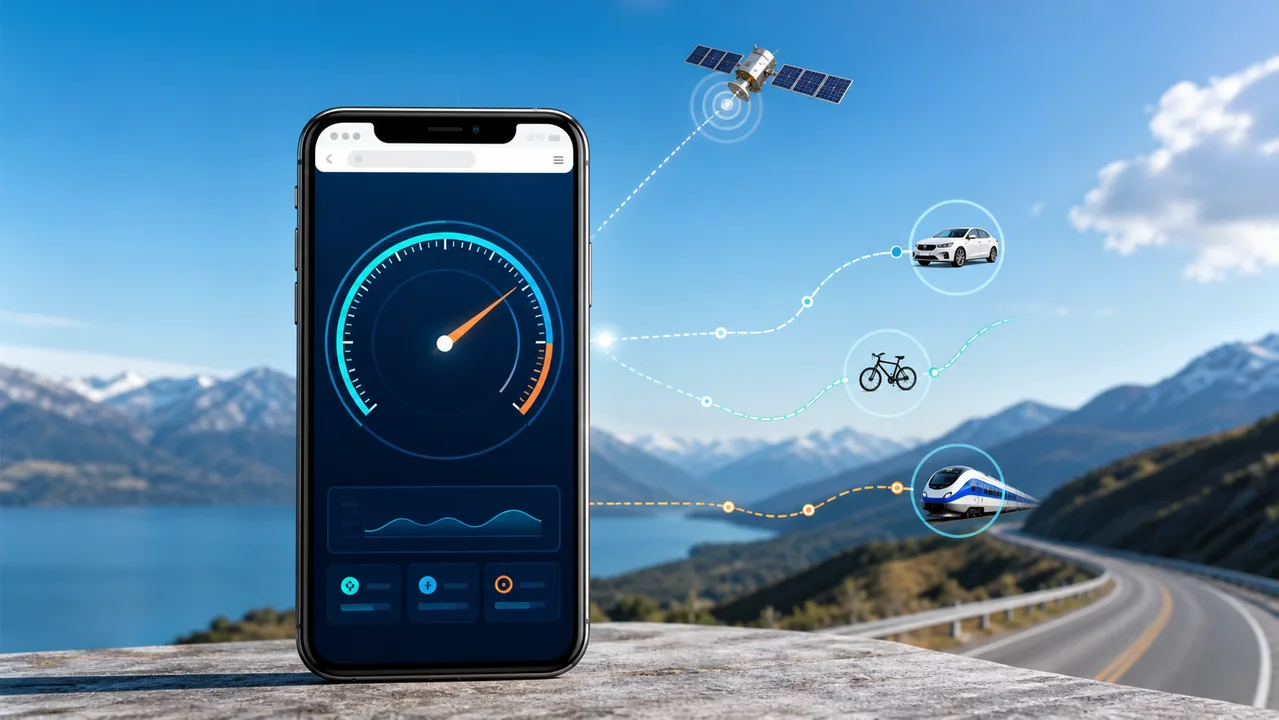
GPS readings can lag, jump, or remain at zero indoors, in tunnels, between tall buildings, or when battery saving limits location updates. A steady outdoor signal and several readings are more useful than one instant value.
| Factor | Browser tool | Installed app |
|---|---|---|
| Setup | Open the page and allow location | Install, then grant permissions |
| Account | Not required by Zigmaty | Depends on the app |
| Background use | Limited when the tab sleeps | May support it |
| Best fit | Quick, occasional checks | Long sessions and saved trips |
Privacy without an account
zigmaty asks for location only when you start. Speed and trip calculations run in the browser, and recent history stays in local device storage; no account is needed.
Browser tool or installed app
A browser speedometer is convenient for a quick check on a modern phone. An installed app may suit offline maps, background tracking, or specialized sport features. Choose according to the trip, device, and safety needs.
What happens after you press Start
The browser requests location permission and begins receiving position updates. When the device supplies a speed value zigmaty uses it; otherwise it estimates movement between reliable fixes. The selected unit changes the display, not the underlying measurement.
Browser speedometer versus installed app
A browser tool is best for an immediate foreground check with no account or installation. An installed app may be better for background recording, offline maps, platform integrations, or long sessions. Choose by the job rather than assuming one format is always more accurate.
Keep the page active
Mobile browsers may reduce or pause location updates when the screen locks, another app takes focus, or aggressive battery saving starts. Keep the page visible during the measurement and stop the session when finished.
Privacy and permission boundaries
Geolocation works on a secure HTTPS page and requires explicit browser permission. zigmaty processes speed and trip calculations in the browser and stores only recent summaries locally; permission can be changed later in site settings.
A five-step zero-speed check
Confirm that you are moving, allow precise location, move outdoors, wait for several updates, and reload after changing permission. If the reading still stays at zero, disable strict battery saving or try another current mobile browser.
When not to rely on it
Do not use a browser speedometer as a certified vehicle, aviation, marine, competition, legal, or emergency instrument. Secure the device before movement and let a passenger read it in a vehicle.
Technical references
MDN documents that browser geolocation requires HTTPS and user permission. Its Page Visibility guidance also explains why background tabs can be throttled, which is why a foreground browser check has different limits from a native background-tracking app.
References: MDN Geolocation API and MDN Page Visibility API.
Practical examples
Use the article together with zigmaty's live tools: measure with GPS when you are moving, then use converters or calculators when you already have a number and need a clean comparison. Start outdoors, allow location, wait for signal, then read speed, distance, average, max, and GPS accuracy.
Common mistakes
The most common mistake is treating one GPS reading as official. GPS can lag, jump, or pause when signal is weak, so compare the trend, GPS accuracy, and trip summary rather than one isolated number.
What to do next
Open the related tool, test it outdoors with a stable GPS signal, and keep the matching guide nearby if location permission, dashboard differences, knots, or unit conversion becomes confusing. Related tools: GPS Speedometer Online.
FAQ
Use an online GPS speedometer without installing an app. See setup steps, units, accuracy limits, privacy, and fixes for zero speed.
Can I use a speedometer without installing an app?
Yes. Open zigmaty in a modern mobile browser, press Start, and allow location when prompted.
Does it work on iPhone and Android?
Yes, when the browser supports location and the device has location services enabled.
Why does the online speedometer show zero?
You may be stationary, indoors, lacking location permission, or waiting for the first reliable GPS fix.
Can I switch speed units?
Yes. You can display km/h, mph, m/s, and kn for marine speed.
Is my location uploaded?
No. The live calculations and recent trip history are handled locally in your browser.
Does it work on desktop?
Usually not well unless the computer has usable location hardware.
Can I install it later?
Yes. Supported browsers can add zigmaty to the home screen.
Is the online speedometer free?
Yes. The web speedometer is free to use.